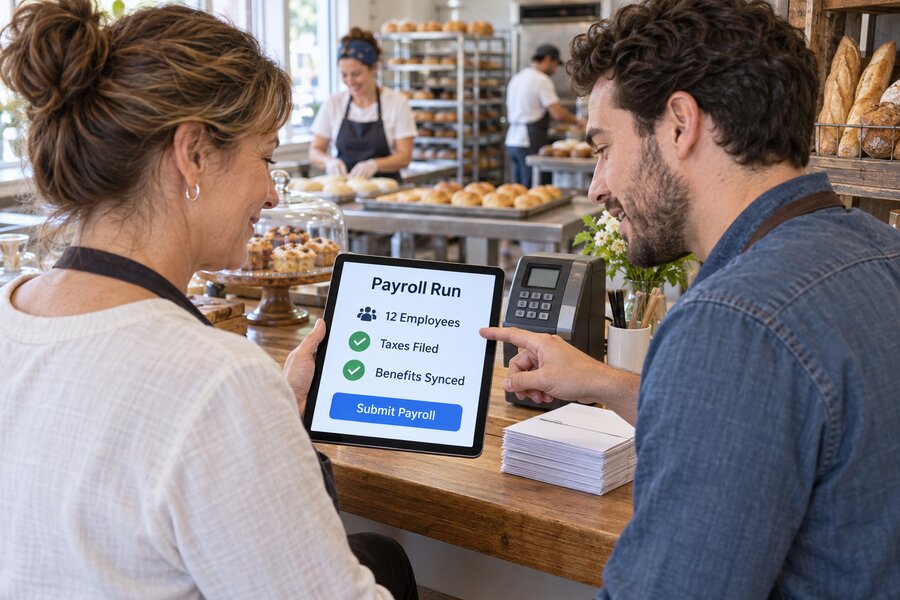
Late on a Thursday night, a small business owner sits at a kitchen table with a spreadsheet open, a stack of timecards, and a browser tab pulled up to a state tax agency’s withholding tables. Payroll is due tomorrow morning, and nothing about calculating it correctly is obvious. Federal income tax withholding depends on each employee’s W-4 elections. Social Security and Medicare taxes have to be calculated and matched. State income tax withholding follows a different table entirely, and if any employee works across a state line, a second state’s rules may apply on top of the first. Unemployment insurance has its own wage base and its own rate, which can change year to year and sometimes mid-year. None of this is the work the owner actually started the business to do, and none of it is forgiving of a typo, a missed deadline, or a rate that quietly changed since the last time payroll ran. This scene, repeated in small businesses across the country every pay period, is the starting point for understanding why payroll automation has become one of the most consequential pieces of financial technology available to Main Street employers.
The stakes behind that kitchen-table scene are higher than they look. Payroll is not an ordinary bookkeeping task where an error simply gets corrected on the next pass. Withheld payroll taxes are, by law, held in trust for the government, and depositing them late or incorrectly triggers penalties that accrue automatically and compound with time, regardless of whether the mistake was an honest one. A missed state filing can trigger a compliance notice weeks or months later, long after the original error is forgotten. An employee misclassified as an independent contractor, or a new hire in a state the business has never operated in before, can create liabilities the owner did not know existed until a letter arrives. For a business with two employees, these risks are manageable through sheer carefulness. For a business with fifteen employees split across two states, or thirty employees with a mix of hourly and salaried pay, manual payroll becomes a standing liability that grows with every hire. The exposure is not even limited to the business entity itself: under the federal tax code, an owner or anyone else responsible for collecting and paying over withheld payroll taxes can be held personally liable for the unpaid amount if those taxes are not properly remitted, a mechanism the IRS refers to as the Trust Fund Recovery Penalty. That personal dimension is part of what separates payroll from most other categories of small business bookkeeping error, where a mistake is a business problem rather than one that can follow an owner past the business itself.
This is the specific problem that a generation of payroll software platforms — companies like Gusto, ADP, QuickBooks Payroll, Rippling, Paychex, and OnPay — has built its business around solving. The pitch, common across all of them, is that a small employer should not have to become an amateur tax accountant and compliance officer just to pay their own team correctly. Instead of manually calculating withholding, cutting checks, and separately filing quarterly and annual tax forms, an owner enters hours and pay rates, and the platform calculates the correct withholding, deposits the correct taxes with the correct agencies on the correct schedule, and files the correct forms when they come due. Benefits deductions, workers’ compensation premiums, and new-hire reporting requirements can be layered onto the same system, so that a task that once meant coordinating between a spreadsheet, a bank account, a benefits broker, and a state agency portal becomes a single, largely automated workflow. This is not a niche or experimental corner of financial technology; it is one of the most widely adopted categories of small business software in the country, precisely because the underlying problem it solves is universal to any employer, regardless of industry.
This article looks at what payroll automation actually does, function by function, and quantifies what it replaces: the hours a manual process consumes and the penalties the IRS actually assesses when payroll tax obligations are missed, using the government’s own published enforcement data rather than the vague, uncited statistics that circulate widely in this space. It compares how the leading small-business payroll platforms differ in scope and target employer size, and it examines three documented, named, dated case studies of real small businesses that made the switch from manual or outsourced payroll to an automated platform, drawn from the vendors’ own published customer stories and described honestly as such. It also takes seriously what automation does not solve — the migration friction, the cost curve as a business scales, and the judgment calls no software can fully replace — because an honest picture of this technology has to hold both its genuine value and its real limits at the same time.
What Payroll Automation Actually Does for a Small Business
At its core, payroll automation replaces a chain of manual calculations and manual filings with a system that performs the same functions on a fixed schedule, using rules the software vendor maintains and updates on the employer’s behalf. An employer who runs payroll manually is, in effect, acting as their own payroll tax calculator, their own tax remittance clerk, and their own compliance department, all without necessarily having training in any of those roles. A payroll platform does not remove the employer’s underlying legal responsibility for getting payroll right, since the employer is still the one who owes the tax and still bears ultimate liability if something goes wrong, but it does remove the need to personally track every changing withholding table, filing deadline, and agency requirement across every jurisdiction where the business has employees. In practical terms, the employer shifts from being the one who performs the calculation to being the one who reviews and approves it, a change in role that matters enormously for how much specialized tax knowledge a small business actually needs to keep in-house.
The value of this shift compounds as a business adds employees or expands into new states, which is precisely when manual payroll becomes least sustainable. A business with a single employee in a single state can, with enough care, manage payroll by hand indefinitely. A business that hires its first out-of-state remote employee suddenly has to register with a new state’s tax agency, learn that state’s withholding rules, and track a new unemployment insurance rate, on top of everything it was already doing for its original state. A business that grows from five to twenty-five employees has to manage a proportionally larger set of W-4 elections, benefits deductions, and paid-time-off accruals, any one of which can introduce an error that a spreadsheet has no way of catching on its own. Automated platforms are built specifically to absorb this kind of complexity, applying the same calculation logic whether an employer has three employees in one state or thirty employees across a dozen, which is why the case for automation tends to get stronger, not weaker, as a small business grows past its earliest and simplest stage.
From Spreadsheets and Paper Checks to Automated Runs
The manual baseline that most small employers start from is more fragile than it might appear from the outside. A typical manual process involves an owner or office manager collecting hours from timecards or a separate time-tracking spreadsheet, calculating gross pay, looking up or recalculating the correct federal and state withholding for each employee, subtracting benefits deductions by hand, and then either writing paper checks or manually initiating direct deposits through a bank’s own system. Tax deposits, when handled manually, require separately calculating what is owed to the IRS and the relevant state agency and submitting payment through each agency’s own portal on its own schedule, which for federal payroll taxes can be as frequent as every time payroll is run for larger employers, even though most small employers deposit less often.
Every one of these manual steps is a place where a small, easily overlooked error can enter the process and go uncaught until it surfaces as a bigger problem. A withholding table that was correct in January can become outdated by a state’s mid-year rate adjustment, and a spreadsheet has no way of flagging that change unless the person maintaining it happens to notice a state agency’s bulletin. A single transposed digit in a bank routing number can delay an employee’s paycheck by days. A missed quarterly filing deadline, easy to lose track of amid the rest of running a business, can trigger a penalty that accrues automatically the moment the deadline passes, with no advance warning from the agency involved. None of these failure modes require negligence; they are the predictable result of asking a business owner who is also handling sales, operations, and customer service to also personally track a technical, deadline-driven compliance process with no room for error. Even businesses that outsource part of the process to an outside bookkeeper are not fully insulated, since a bookkeeper working from the same spreadsheets and the same manually maintained withholding tables is exposed to the identical set of failure points, simply relocated to a different desk.
What makes this baseline especially precarious is that the consequences of a mistake often do not appear immediately. An owner who miscalculates withholding in March may not learn about the resulting discrepancy until an employee’s tax return does not match their W-2, or until a state agency sends a notice months later flagging an underpayment. This lag between the error and its discovery is part of what makes manual payroll riskier than it feels day to day: the process can appear to be working smoothly for months at a time while small errors accumulate in the background, only becoming visible once a filing deadline, an audit, or an employee’s own tax return surfaces the problem. This gap between apparent smoothness and actual accuracy is exactly what automated platforms are designed to close, by performing the underlying calculations the same, correct way every single time rather than depending on a person’s memory and attention on a Thursday night after a full day of running the business.
What “Full-Service” Payroll Actually Automates: Taxes, Benefits, and Compliance
The term “full-service payroll,” used by nearly every major platform in this category, refers specifically to the automation of tax calculation, tax deposit, and tax filing on the employer’s behalf, and it is worth being precise about what that phrase does and does not include. On the tax side, a full-service platform calculates federal income tax withholding, Social Security and Medicare withholding and the employer’s matching share, federal unemployment tax, and the applicable state and, where relevant, local income and unemployment taxes for every employee, based on the withholding elections and work location on file. It then deposits those withheld and matched amounts with the correct agencies on the correct schedule and files the associated forms, including the federal Form 941 filed quarterly, Form 940 filed annually for federal unemployment tax, and each state’s own equivalent filings, along with W-2 forms issued to employees at year end.
Beyond core tax handling, most full-service platforms extend automation into benefits administration and compliance documentation, two areas that carry their own quieter but still meaningful risk for a small employer. Health insurance, retirement plan, and other benefit deductions can be synced directly into each payroll run so that the correct pre-tax or post-tax amount is withheld automatically rather than recalculated by hand every period, and enrollment changes, such as a new dependent or a plan switch during open enrollment, flow through the same system without requiring the deduction amount to be manually updated. On the compliance side, platforms typically handle new-hire reporting, a legal requirement in every state that new employees be reported to a state agency within a set window after their start date, along with generating the paperwork needed to register a business in a new state the first time it hires an employee there. Several platforms also layer in guidance, and in some cases direct filing support, for jurisdiction-specific requirements like paid sick leave accrual rules or prevailing wage documentation on government-contracted work, areas where a manual process is especially exposed because the requirements vary so much from one state or municipality to the next. Many platforms extend the same automated logic to workers’ compensation insurance as well, syncing actual payroll figures with a pay-as-you-go premium calculation instead of requiring an employer to estimate annual payroll at the start of a policy period and reconcile the difference, often with a penalty, at audit time. Some also incorporate I-9 employment eligibility verification into the onboarding workflow, prompting for the required documentation on a new hire’s first day rather than leaving it to a separate paper process that is easy to let slip once the excitement of a new hire’s start date has passed.
It is worth being clear about what remains the employer’s responsibility even on a fully automated platform, since no software eliminates every judgment call. An employer still has to correctly classify a worker as an employee or an independent contractor in the first place, a determination that depends on the nature of the working relationship rather than on anything a payroll platform can verify automatically. An employer still has to enter accurate hours, pay rates, and employee information, since a platform can calculate withholding correctly on incorrect inputs without having any way to know the inputs themselves were wrong. And an employer still has to make the underlying decisions about pay structure, benefits offerings, and how to handle an unusual situation like a mid-year bonus or a terminated employee’s final paycheck, decisions a platform can help execute correctly once made but cannot make on the employer’s behalf. Taken together, what full-service payroll automation actually delivers is the elimination of manual calculation and manual filing risk across a well-defined, recurring set of tax and compliance tasks, freeing the employer to focus their limited time on the judgment calls that genuinely require it rather than on arithmetic and deadline-tracking that a well-built system can handle more reliably than a person working alone.
The Real Cost of Manual Payroll: Time, Errors, and Penalties
Quantifying the cost of manual payroll requires separating two different kinds of evidence: the time an owner or office manager spends on the task itself, which varies too much by business size and complexity to reduce to a single reliable industry-wide figure, and the penalties the government actually assesses when payroll tax obligations go wrong, which is a matter of public record. The second category is where the strongest, most verifiable numbers exist, and it is worth examining them directly rather than repeating the round, uncited statistics that circulate widely across payroll-industry marketing content and SEO listicles, many of which cite each other rather than any traceable original source.
The IRS’s own Data Book, published annually and available directly from irs.gov, provides exactly this kind of primary-source figure. According to the IRS Data Book’s Table 4-2, which tracks civil penalties assessed and abated by type of tax, the IRS assessed more than 4.4 million employment tax penalties in fiscal year 2024, totaling nearly $26.9 billion. This figure covers penalties tied specifically to the employment tax forms a business files to report payroll taxes, including Form 941 for quarterly payroll tax returns, Form 940 for federal unemployment tax, and related forms for agricultural and household employment. Within that total, the single largest category by dollar amount was not a filing penalty or an accuracy penalty but a federal tax deposit penalty, assessed when an employer fails to deposit withheld payroll taxes on time or through the correct method: more than 1.17 million of these deposit penalties were assessed in fiscal year 2024, totaling nearly $18.9 billion, close to seventy percent of all employment tax penalty dollars assessed that year.
This concentration matters for understanding exactly what kind of mistake payroll automation is best positioned to prevent. A federal tax deposit penalty is not primarily a penalty for calculating the wrong amount of tax; the IRS assesses it specifically for depositing the correct amount late or through an incorrect method, which is fundamentally a scheduling and process failure rather than a math error. This is exactly the category of mistake that a manual payroll process is most exposed to, since it depends entirely on a person remembering a deposit deadline and manually initiating a payment through the correct channel every single time, with no automatic reminder or safeguard if that step gets missed during a busy week. An automated payroll platform, by contrast, is built around exactly this kind of recurring, deadline-driven task: once a payroll run is processed, the platform initiates the associated tax deposits on the correct schedule without requiring the employer to separately remember to do so, which directly targets the largest single component of the penalty total the IRS actually assesses each year.
The second-largest component of the IRS’s fiscal year 2024 employment tax penalty total was the failure-to-pay penalty, assessed more than 2.29 million times for a combined total of roughly $3.4 billion, applied when an employer reports the correct tax owed but does not pay it in full. Delinquency penalties, assessed for filing a required return late, and other smaller categories rounded out the remainder. Across nearly every category the IRS tracks, the underlying pattern is the same: employment tax penalties overwhelmingly stem from process failures — a missed deadline, a late deposit, an unfiled return — rather than from disputes over how much tax was actually owed. This is a meaningful distinction, because it means the risk automation addresses most directly is not primarily about whether an employer understands tax law correctly, but about whether the mechanical, repetitive steps of depositing and filing happen reliably every single time, which is precisely the kind of task software is well suited to perform consistently and a busy owner, working alone and by hand, is not.
The IRS Data Book’s penalty totals also help explain why payroll tax debt is treated so differently from other categories of small business debt once it goes unpaid. Because withheld income and employment taxes are legally held in trust for the government rather than owned by the business the way ordinary revenue is, the IRS can pursue the Trust Fund Recovery Penalty referenced earlier in this article against any individual it determines was responsible for collecting and paying over those taxes and willfully failed to do so, a personal liability that survives even if the business itself later closes or files for bankruptcy protection. The Data Book separately reports that trust fund recovery penalties credited during fiscal year 2024 totaled more than $386 million, a figure that, while smaller than the deposit and failure-to-pay categories, represents cases serious enough that the IRS pursued an individual rather than only the business entity. This is the specific, personal edge of payroll tax risk that a reliable, automated deposit and filing process is built to keep an owner well away from.
How the Major Platforms Compare: Gusto, ADP RUN, QuickBooks Payroll, Rippling, Paychex, and OnPay
Although every platform in this category automates the same underlying core — calculating withholding, depositing taxes, and filing the associated forms — the leading small-business payroll platforms differ meaningfully in scope, pricing structure, and the size and complexity of employer they are built to serve best, and understanding those differences matters more to a small employer than any single feature comparison. Gusto has built its reputation specifically around small and early-stage employers, offering full-service payroll bundled with benefits administration, HR tools, and a tiered plan structure that lets a business start with straightforward payroll and add features like dedicated support or more advanced HR tools as it grows, without needing to switch providers entirely. Its plans are structured to scale with the size of a business’s needs rather than requiring every customer to purchase the same full feature set from the start, which is part of why it has become a common first payroll platform for businesses making the jump from doing payroll by hand.
ADP RUN occupies a different position, functioning as ADP’s product built specifically for small businesses while drawing on the infrastructure and compliance expertise of one of the country’s largest and longest-established payroll and human capital management companies. This lineage shows up most clearly in the depth of support ADP offers around complex compliance questions and in its ability to scale a client from a small-business product into ADP’s larger enterprise offerings without switching vendors entirely as the business grows well beyond its earliest size. QuickBooks Payroll, by contrast, is built around its integration with QuickBooks’ accounting software, which makes it a natural fit for a business that already manages its books in QuickBooks and wants payroll data to flow directly into the same general ledger without a separate reconciliation step; it offers tiered plans that range from basic payroll calculation up to more comprehensive tax penalty protection and HR support at higher tiers.
Rippling has taken a broader platform approach, building payroll as one module within a larger system that also handles IT device management, benefits, and international hiring, positioned toward businesses, often technology companies or fast-growing employers, that want a single system managing not just payroll but the broader employee lifecycle from onboarding a new hire’s laptop to running their first paycheck. Paychex, like ADP, is a long-established payroll and human resources outsourcing company with deep experience serving small businesses, including a strong presence in the professional employer organization, or PEO, model, where a business can choose to co-employ its staff with Paychex to access broader benefits pooling and shift more compliance liability onto the PEO relationship. OnPay has positioned itself at the simpler, more transparent end of the market, with flat-rate pricing and a comparatively lean feature set that has made it popular with very small businesses, including those with multi-state employees, that want full-service tax handling without the tiered upsell structure that some larger platforms use.
Several of these companies also compete on how they handle work arrangements that fall outside a standard, single-state W-2 employee. A business that pays independent contractors alongside employees needs a platform that can issue 1099 forms correctly and keep contractor payments cleanly separated from employee payroll for tax purposes, a feature every major platform in this category now supports but implements with different degrees of automation around contractor onboarding and tax form collection. A business considering the PEO route, where Paychex and several other providers compete directly, is making a somewhat different decision than one choosing standard payroll software, since a PEO arrangement typically shifts a larger share of employment-related liability, including some unemployment insurance exposure, onto the PEO in exchange for a different fee structure, which is worth understanding as a distinct category rather than simply a more expensive version of ordinary payroll software.
What ties these differences together is that no single platform is objectively best for every small employer; the right choice depends on a business’s size, its growth trajectory, whether it already uses a particular accounting system, and how much it values bundled HR and benefits tools against a leaner, more narrowly focused payroll product. A five-person business in a single state has fundamentally different requirements than a thirty-person business hiring across six states, and the platforms in this category have differentiated themselves largely along exactly that axis, competing less on whether they can calculate withholding correctly, which is table stakes across the entire category, and more on how much additional complexity, support, and adjacent HR functionality they wrap around that core function.
Documented Case Studies in Small Business Payroll Automation
Much of what circulates online about payroll automation’s benefits comes from generic, uncited statistics rather than specific, verifiable examples of real businesses, which makes it worth examining named, dated cases directly rather than repeating aggregate claims that cannot be traced back to an original source. The three cases examined here come from the payroll vendors’ own published customer stories, a source type that deserves an honest caveat: these are vendor-published testimonials, not independent journalism, and they were selected and published by the companies whose products they promote. That said, each involves a real, named, identifiable business with specific, dated details rather than an anonymous or composite example, which is the bar this article applies before treating a case study as usable evidence.
Two of the three cases come from Gusto’s own published customer-story pages, and the third comes from ADP’s own published testimonial materials, giving a small window into how differently sized businesses, coming from different starting points, described their own transitions to automated payroll. Read together, they show a consistent pattern: each business had been managing payroll through a more manual, more expensive, or less flexible arrangement, each identified a specific trigger that made the status quo untenable, and each reported concrete, named outcomes after switching rather than vague satisfaction. It is worth noting what these cases can and cannot demonstrate on their own: a single company’s reported outcome is not proof that every business will see the same result, and none of the three figures involved here have been independently audited outside the vendor’s own published materials. What they do provide, which the vaguer statistics circulating elsewhere in this space typically cannot, is a named business, a specific date, and a traceable original source that a reader can check for themselves.
Forge Fire & Company: Cutting Platform Costs 40% with Gusto Premium
Forge Fire & Company is an Ohio-based business that fabricates training facilities and props for firefighters and first responders, turning shipping containers into custom, simulated environments where crews train under real smoke and heat conditions. According to Gusto’s own published case study, when Jim Fox joined the company as HR Director, Forge Fire was using a different payroll vendor that he found rigid and expensive, at a company with 35 W-2 employees spread across sales, design, fabrication, logistics, and construction roles, many of them working on-site across multiple states and subject to prevailing wage requirements tied to government-contracted training work. That combination — a multi-state, multi-role workforce with specialized wage documentation requirements — is exactly the kind of complexity that strains a rigid or poorly supported payroll system the most, since prevailing wage rules typically require documenting not just an employee’s hourly rate but the specific classification and fringe benefit rate tied to the government-funded project they are working on at any given time, a level of detail a generic payroll setup is not necessarily built to track cleanly.
In mid-2024, after evaluating its options, Forge Fire moved to Gusto and signed up for the Premium plan, which paired the software with a dedicated service advisor assigned to the account. According to the case study, that combination gave Fox enough confidence in the new system’s reliability that the company switched from biweekly to weekly pay, a change intended to help with recruiting and retention, without adding cost or administrative friction. The dedicated advisor worked directly with Forge Fire to configure payroll around its prevailing wage rates and state-specific documentation needs, and later connected the company with a benefits advisor and a 401(k) plan through Guideline, which Gusto has since integrated into its own platform. The reported result, according to Gusto’s published case study, was a 40 percent reduction in platform costs alongside maintained compliance with prevailing wage requirements across the multiple states where Forge Fire’s crews operate.
What this case illustrates most clearly is not simply that switching platforms can reduce cost, but that a multi-state, prevailing-wage workforce is precisely the kind of payroll complexity where a rigid manual or poorly matched system creates the most friction, and where a platform built to handle that complexity directly can deliver a meaningfully different experience rather than a marginal improvement. It is worth noting plainly, in the interest of describing this source honestly, that Gusto’s published case study discloses the customer received compensation or a discount in exchange for the testimonial, a standard practice in vendor case studies that does not make the underlying facts — the company’s name, size, industry, and the specific figures reported — any less real or traceable, but is worth stating directly rather than leaving implicit.
Astute Communications and Complete Business Group: Two More Paths Off Manual Payroll
Astute Communications, a Nashville, Tennessee-based digital marketing agency founded by Anna Stout in 2013, illustrates a different starting point than Forge Fire: rather than moving from one piece of software to another, the company began by using a professional employer organization, or PEO, to manage payroll and benefits for its small team. According to Gusto’s published case study, when Astute purchased its first office space in 2019, Stout sought a more cost-effective HR partner so the company could invest more directly in its team, and switched to Gusto that July on the recommendation of a peer running a similarly sized business. The company has since reported saving $8,000 annually on payroll and HR costs since making that switch, according to the same published case study, while also using Gusto’s compliance guidance to navigate hiring its first out-of-state employee in 2020 and later building a team spread across four states as it embraced remote work during and after the pandemic. For an eight-person agency, an annual savings of that scale represents a meaningful share of the cost the business had previously been paying a PEO to handle the same underlying function, illustrating that the cost case for automation is not limited to businesses replacing a fully manual process; it can apply just as directly to a business replacing a more expensive, fully outsourced one. Stout’s own account, quoted in Gusto’s case study, described the switch as one she had not regretted “considering we left a fully managed solution,” a detail worth taking at face value precisely because it acknowledges the tradeoff, giving up a PEO’s fuller service layer, that came with the savings rather than presenting the switch as a decision with no downside at all.
Complete Business Group, or CBG, illustrates a third path into payroll automation, one driven not by a search for lower cost but by a vendor’s own decision to discontinue a product. According to ADP’s published case study, CBG is a QuickBooks Solution Provider founded in 2010 and based in Hardeeville, South Carolina, run by founder and CEO Carrie Kahn and partner Dan DeLong, that has spent years helping small businesses select and implement QuickBooks software while itself using QuickBooks Assisted Payroll for roughly a decade, on the principle that it should be personally familiar with any product it recommended to its own clients. CBG’s need for a new payroll provider was triggered specifically by Intuit’s discontinuation of its standalone Online Payroll offering, which had let CBG recommend a payroll service compatible with any version of QuickBooks a client happened to be using; once that option disappeared, the company began evaluating alternatives and ultimately switched to RUN Powered by ADP. According to the case study, the transition went smoothly enough that CBG became comfortable recommending ADP directly to its own clients and the more than 700 QuickBooks ProAdvisors it serves, citing the ADP Mobile app’s ease of use for employees and the dedicated support it received from its ADP sales representative during onboarding.
Taken together, these three cases show that the trigger for adopting automated payroll rarely looks identical from one small business to the next — a rigid vendor and a complex, multi-state workforce in Forge Fire’s case, the cost and inflexibility of a PEO arrangement in Astute’s case, and a vendor’s own discontinued product in CBG’s case — but the underlying pattern across all three is consistent: a specific, dated event exposed the limits of the business’s existing payroll arrangement, and each business’s own account of the switch pointed to concrete, named improvements in cost, compliance confidence, or day-to-day reliability rather than vague general satisfaction.
Benefits and Limitations Across the Small Business Payroll Chain
For small business owners themselves, the most immediate benefit of payroll automation is the direct recovery of time that would otherwise go toward manual calculation, check-writing, and deadline-tracking, time that can instead go toward the parts of the business the owner actually built the company to do. Beyond time, owners gain a meaningful reduction in the specific, quantifiable risk examined earlier in this article: the federal tax deposit penalties that make up the largest share of the billions of dollars the IRS assesses in employment tax penalties every year are, at their core, a scheduling failure that an automated deposit process is built to prevent. This does not mean automation makes penalties impossible, since an employer can still enter incorrect information or misclassify a worker in ways no software can catch on its own, but it does directly target the single largest, most consistently documented category of payroll-related penalty risk that small employers actually face.
Employees benefit in ways that are less visible to the business owner but still material to the employment relationship. Accurate, on-time paychecks and correctly calculated withholding affect an employee’s own tax filing, and errors in either one can create problems for an employee that take far longer to resolve than the original mistake took to make, from an incorrect W-2 to a delayed direct deposit that disrupts a worker’s own bill-paying schedule. Automated platforms that let employees view their own pay stubs, tax withholding elections, and benefits enrollment directly, without needing to ask an overworked office manager for information, also reduce a category of friction that, while minor day to day, compounds over the length of an employment relationship and shapes how supported an employee feels by the systems their employer has put in place.
Accountants and bookkeepers who work with small business clients gain a different kind of benefit, centered on the reliability of the data flowing into a business’s books. When payroll runs through an automated platform that integrates directly with accounting software, the resulting journal entries are generated consistently and can be reconciled far more easily than when an accountant has to reconstruct payroll activity from a mix of manual paycheck records and separately tracked tax payments. This matters directly for the accuracy of a small business’s financial statements and for how much time an accountant has to spend cleaning up payroll-related entries before they can move on to higher-value advisory work, a shift that has become significant enough that payroll automation is now commonly cited within the accounting profession’s own trade coverage as one of the clearer areas where automation frees up bandwidth for advisory services rather than routine data entry.
Regulators and tax agencies, while not a direct customer of any payroll platform, benefit from a system-wide reduction in exactly the kind of process failures examined in the IRS penalty data discussed earlier in this article. A tax deposit made on time and through the correct method reduces the collection and enforcement burden an agency would otherwise carry from chasing down a late or missed payment, and a correctly filed quarterly or annual return reduces the volume of amended filings and follow-up correspondence an agency has to process. This is not a benefit automation delivers intentionally on the regulator’s behalf, but a structural byproduct of shifting a large share of small business payroll compliance away from manual, error-prone processes and toward a standardized, software-mediated one.
Insurance carriers and workers’ compensation providers see a related benefit from the same underlying shift, particularly where a payroll platform integrates directly with a pay-as-you-go workers’ compensation policy. Rather than an insurer relying on an employer’s own year-end estimate of total payroll, which is the traditional and error-prone basis for calculating a workers’ compensation premium, a synced system reports actual wages as they are paid, reducing both the size of the year-end audit adjustment and the likelihood of a significant, unexpected true-up bill landing on a small employer months after the policy period has already ended.
None of this should be mistaken for a claim that payroll automation eliminates every real challenge a small employer faces. Migrating from a manual process or a previous vendor to a new platform carries genuine friction: historical payroll records have to be transferred accurately, employees have to be re-enrolled in the new system, and a mid-year switch requires careful handling of year-to-date tax figures to avoid double-counting or under-reporting wages already paid. Cost is a real constraint as well, particularly for the smallest employers, since most platforms charge a base monthly fee plus a per-employee charge that, while modest at first, can add up meaningfully as a business scales its headcount, making the pricing structure worth evaluating carefully against a business’s specific growth trajectory rather than assuming the cheapest available plan will remain the cheapest option once the team doubles in size. And no platform removes the underlying judgment calls that still belong to the employer alone: correctly classifying a worker as an employee or a contractor, deciding how to handle an unusual pay situation, and staying informed enough about a business’s own obligations to know when a question needs to be raised with the platform’s support team or an outside professional rather than assumed to be handled automatically. Payroll automation narrows the space where manual error can creep in, but it does not remove the employer’s responsibility to understand, at least at a basic level, what the system is doing on their behalf.
Final Thoughts
Payroll automation is, at its core, a solution to a problem that is administrative rather than financial in the narrowest sense: small business owners have never lacked the ability to pay their employees correctly, but they have consistently lacked the specialized time, training, and attention that doing so by hand, correctly, every single pay period, actually requires. The kitchen-table scene that opens this article is not a caricature; it is the daily reality for a meaningful share of small employers who have not yet made the switch, and the billions of dollars in employment tax penalties the IRS assesses every year, concentrated overwhelmingly in the same federal tax deposit penalty category examined earlier in this article, are the measurable consequence of exactly that reality playing out at scale across the economy.
The transformative potential of this technology lies less in any single feature than in what it removes from an owner’s plate entirely. Once payroll is automated, an owner no longer has to personally track a state’s mid-year withholding table change, personally remember a quarterly filing deadline, or personally reconcile a benefits deduction against an employee’s latest enrollment choice. That removed burden translates directly into time an owner can redirect toward the work that actually grows the business, and it translates into a meaningfully lower probability of the kind of process failure — a late deposit, a missed filing — that accounts for the overwhelming majority of employment tax penalties assessed against small employers each year. The three case studies examined in this article, each involving a real, named business rather than an anonymous composite, show this benefit taking different shapes depending on where a business started: relief from a rigid and expensive vendor for a multi-state fabrication company, meaningful annual savings for an agency that had been paying for a full-service PEO, and a smoother transition for an accounting firm forced to find a new provider when its old one discontinued the product it relied on.
The social and economic significance of this shift extends beyond any individual business’s bottom line. Small employers collectively account for a substantial share of private-sector jobs, and every hour an owner spends manually calculating withholding tables is an hour not spent serving customers or supporting the employees whose paychecks are at stake. Compliance risk that falls disproportionately on businesses too small to afford a dedicated payroll or HR staff member is not evenly distributed; it concentrates most heavily on employers with the thinnest margin for error and the least capacity to absorb a costly mistake. Automation that narrows this gap, giving a five-person business access to the same tax calculation and filing infrastructure a much larger company can afford to build internally, has a leveling effect that matters for the broader small business ecosystem, not just for any single owner’s peace of mind.
None of this erases the genuine limitations examined throughout this article. Migration friction is real, per-employee costs accumulate as a business scales, and no software removes the responsibility an employer carries to classify workers correctly and understand, at least at a basic level, what their payroll system is doing on their behalf. What has changed, concretely and measurably, is that the infrastructure now exists for a small business to access the same reliable, deadline-driven tax compliance once available only to companies large enough to employ their own dedicated payroll staff, a shift reflected in penalty data, in vendor case studies, and in the daily experience of owners who no longer have to sit at a kitchen table on a Thursday night, checking a withholding table by hand.
FAQs
- What does “payroll automation” actually mean for a small business?
It means a software platform calculates employee withholding, deposits federal, state, and local payroll taxes with the correct agencies on the correct schedule, and files the associated tax forms on the employer’s behalf, replacing a process that would otherwise require manually calculating each of these steps and tracking every filing deadline by hand. - Does payroll automation remove an employer’s legal responsibility for payroll taxes?
No. The employer remains legally responsible for the accuracy of the information entered into the system, such as hours, pay rates, and worker classification, and for the underlying tax obligation itself. What automation removes is the need to manually calculate withholding and manually track and execute tax deposits and filings, which is where most process-driven penalties originate. - What is the biggest financial risk of running payroll manually?
Based on the IRS’s own Data Book, the largest category of employment tax penalty by dollar amount is the federal tax deposit penalty, assessed when withheld payroll taxes are deposited late or through an incorrect method. In fiscal year 2024, these deposit penalties totaled nearly $18.9 billion, close to seventy percent of the almost $26.9 billion in total employment tax penalties the IRS assessed that year. - How is ADP RUN different from a platform like Gusto or OnPay?
ADP RUN is built specifically for small businesses but draws on the compliance infrastructure and support depth of ADP’s much larger enterprise payroll and HR business, including a path to scale into ADP’s larger offerings as a company grows. Gusto and OnPay are built primarily around small and early-stage employers from the ground up, with Gusto offering tiered plans bundling HR and benefits tools and OnPay emphasizing flat-rate, comparatively simple pricing. - Can payroll automation handle employees working in multiple states?
Yes, this is one of the areas where automation provides the clearest benefit, since a platform can apply the correct withholding tables and unemployment insurance rules for each state an employee works in and handle the registration paperwork required to hire in a new state. Forge Fire & Company’s move to Gusto Premium, described in this article, specifically involved managing payroll and prevailing wage documentation across multiple states. - Is switching payroll platforms mid-year difficult?
It requires care but is a routine process for most established platforms. The employer typically needs to provide accurate year-to-date wage and tax figures for each employee so the new platform doesn’t double-count or under-report income already paid, and historical payroll records generally need to be transferred or reconciled during the transition. - Do payroll platforms replace the need for an accountant or bookkeeper?
No. They reduce the volume of manual data entry and reconciliation work an accountant would otherwise need to perform on payroll-related transactions, since data flows automatically into accounting software, but they do not replace the broader financial oversight, tax strategy, and advisory guidance an accountant or bookkeeper provides. - What is a PEO, and how is it different from a payroll automation platform?
A professional employer organization, or PEO, co-employs a business’s staff, taking on a broader share of HR administration, benefits access, and compliance liability in exchange for a fee, whereas a payroll automation platform is software the employer uses directly while remaining the sole employer of record. Astute Communications, discussed in this article, moved from a PEO to Gusto’s payroll platform in 2019. - Does payroll software cost more as a business adds employees?
Generally, yes. Most platforms charge a base monthly fee plus an additional per-employee charge, so total cost rises with headcount even though the per-employee rate is usually modest. This makes it worth evaluating a platform’s pricing structure against a business’s expected growth rather than only its current size. - What should a small business owner do before choosing a payroll platform?
An owner should account for their current and expected number of employees and the states they work in, whether the business already uses a particular accounting system the platform should integrate with, how much bundled HR and benefits functionality is actually needed, and how much dedicated support is worth paying for given the complexity of the business’s own payroll situation.